
Deep chord
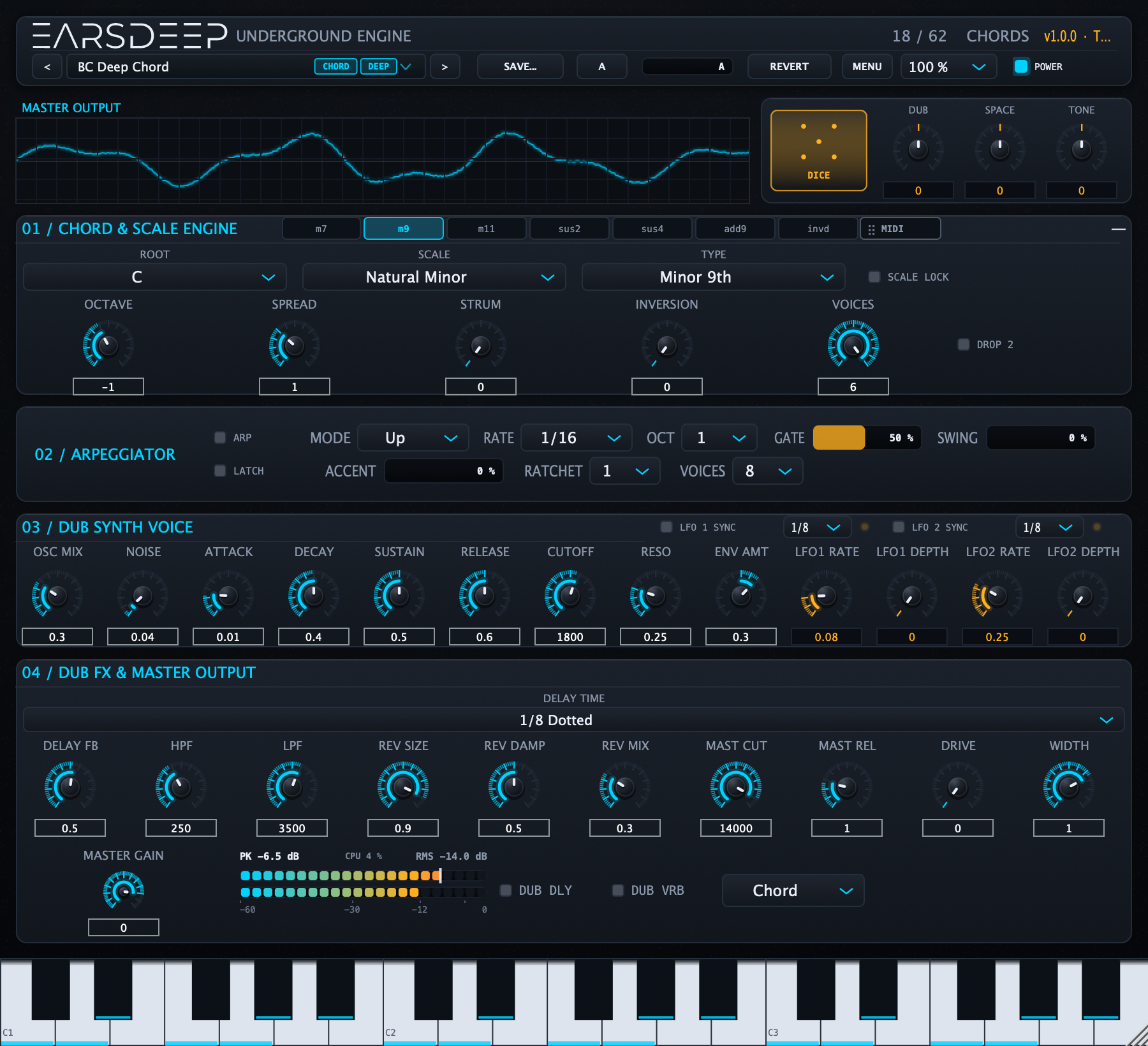
preset “BC Deep Chord”i – VI – VII – IV in C minor, two bars each. SPACE opens up over the middle of the clip, DUB follows.
AU · VST3 · STANDALONE — macOS 10.15+ / Windows 10+
Play one key and the Underground Engine voices a whole dub chord — then you ride DUB, SPACE and TONE while a 16-voice engine breathes underneath. Built for deep / dub techno and minimal, not for EDM drops.
Three clips below were rendered straight out of the plug-in — same engine you get, nothing re-recorded or mastered afterwards except a −1 dB peak normalise.
i – VI – VII – IV in C minor, two bars each. SPACE opens up over the middle of the clip, DUB follows.
Short stabs into a long room. TONE closes while SPACE widens, then a dub throw into the tail.
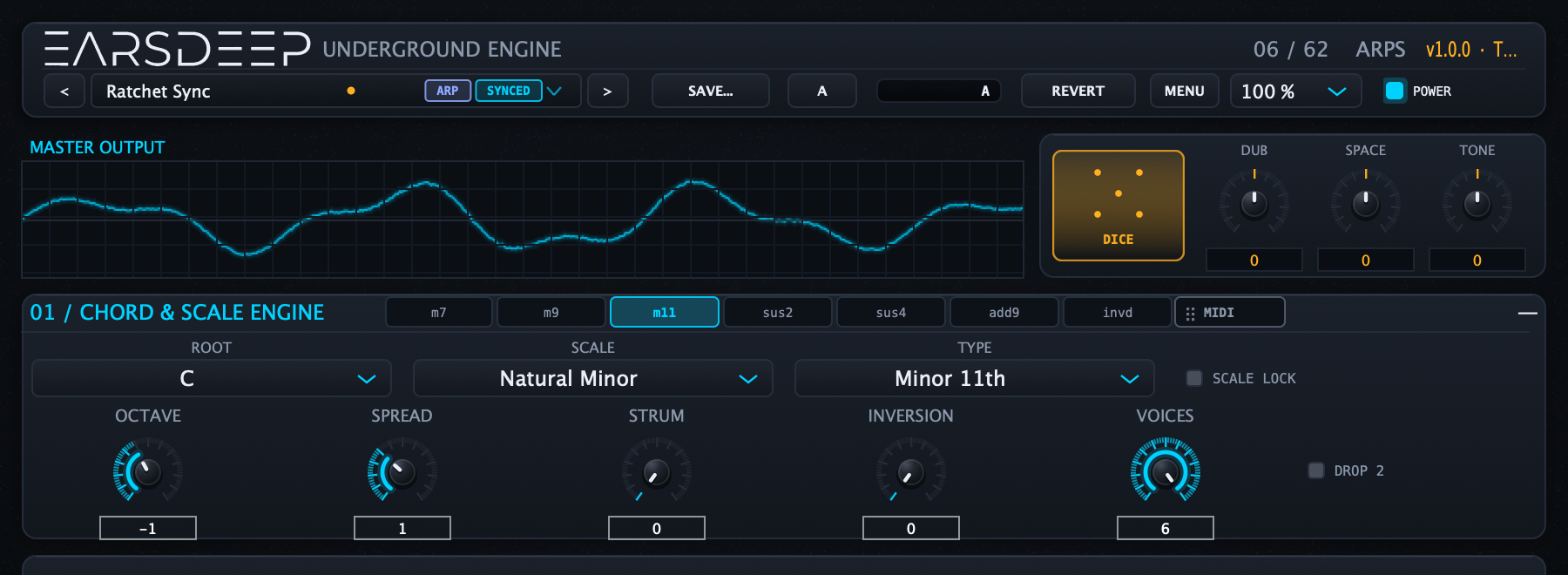
The same chord engine as sixteenths: ratchet, accent and a synced tremolo on top.
Seven dub shapes (m7, m9, m11, sus2, sus4, add9, inverted dub) and three controls that change how they are stacked: INVERSION walks the bass tone up an octave, VOICES thins a five-note m9 down to a triad, DROP 2 drops the second highest tone for that open, slightly jazz voicing.
DUB, SPACE and TONE are real automation parameters (−1 … +1) that offset whatever preset is loaded. One automation lane sweeping SPACE opens the room of all 62 presets with the same musical curve. They survive preset changes, so DICE never yanks a macro you ride.
MIDI out sends the generated chord (or chord + played notes, or played only), and the MIDI pill drags a ready-made clip into Live, Logic, Cubase or Reaper. Layer your own bass, piano or a hardware synth under the same harmony.
Tempo-synced delay with filters inside the feedback loop, a dark space reverb, master low-pass, tape drive and width. Two tempo-synced LFOs breathe on the cutoff and the delay feedback; DUB DLY / DUB VRB are throw buttons for dub-mixer gestures.

Every preset is one slot — no “sounds” that secretly load three layers. Favourites, free-form tags and a morph bar let you keep your own order.
Arp Sequence · Arp Ladder · Arp Ratchet · Arp Depth · Ratchet Sync · Dub Arp Echo · Steel Arp · Low Ratchet
Sub Pressure · Rubber Bass · Dub Sub · Tremolo Sub · Pulse Bass · Tape Sub · 808 Dub · Moog Growl
BC Deep Chord · RS Warehouse · Dub Stab · Detroit Basic · Pressure Drop · Night Bus · Channel One · Concrete Chord · Deep Six · Taped Chord · Tremolo Dub · Night Drive · Smoked Chord · Dub Chamber · Basement 4am · Vault Chord
Chord Wash · Ocean Floor · Mauve Sky · Glass Cathedral · Slow Tide · Fog Bank · Dub Pad · Breathing Pad · Wind Tunnel · Deep Field · Harbour Fog · Tape Choir
Minimal Pulse · Wire Pluck · Bell Dub · Shaker · Glass Drop · Needle Drop · Cold Bell
Tape Dub · Concrete Echo · Kingston Tunnel · Dub Texture · Sub Room · Tape Hiss · Deep Water · Pressure Room
Try everything for 14 days. If it earns a place in your template, buy it once.
€0
14 days, all features
€39 €29
one-time · VAT included · no subscription
Launch price for the first 100 licences, then €39.
A licence key for your name + e-mail and the installer download. Paste the key into the About window (click “UNDERGROUND ENGINE” in the top bar) — the trial badge turns into “FULL” and saving your own presets unlocks. No account, no dongle, no phone-home on every start.
For 14 days everything works: all presets, all macros, MIDI out, clip drag-out. After that the engine keeps making sound, but you cannot save user presets until you licence it. We deliberately do not mute audio or inject noise — that would just ruin your session.
Yes — one universal binary for Intel and Apple Silicon, macOS 10.15 and newer. Windows 10/11 is x64.
It is an instrument with MIDI out. To drive another synth, put it first in the chain and set MIDI Out to “Chord” or “Chord + played”. The MIDI pill also drags a clip straight into your DAW.
Yes, royalty-free. You may not resell the plug-in, the presets as a product, or reuse the factory bank inside your own soundware.
14 days, no questions asked — the licence is deactivated and the money returned. Just mail the order number.
Ableton Live 11/12, Logic Pro, Cubase, Studio One, Reaper and Bitwig. If something misbehaves, send the host + version — we answer.
Download the trial, drop it on a track and press DICE a few times.